
Ticketing for the whole organization
Requests, incidents and changes.
One calm desk.
IT, HR, facilities, finance or customer support. Staff raise tickets from a simple portal, agents work them against your SLAs and managers see what's late before anyone complains.
No card needed. You are set up in two minutes.
- 5 languages, including Arabic
- SLAs, approvals and automation
- Single sign-on and two-factor login
- AI assistant by Claude
Take a look
Built for the people doing the work
Every conversation in one place
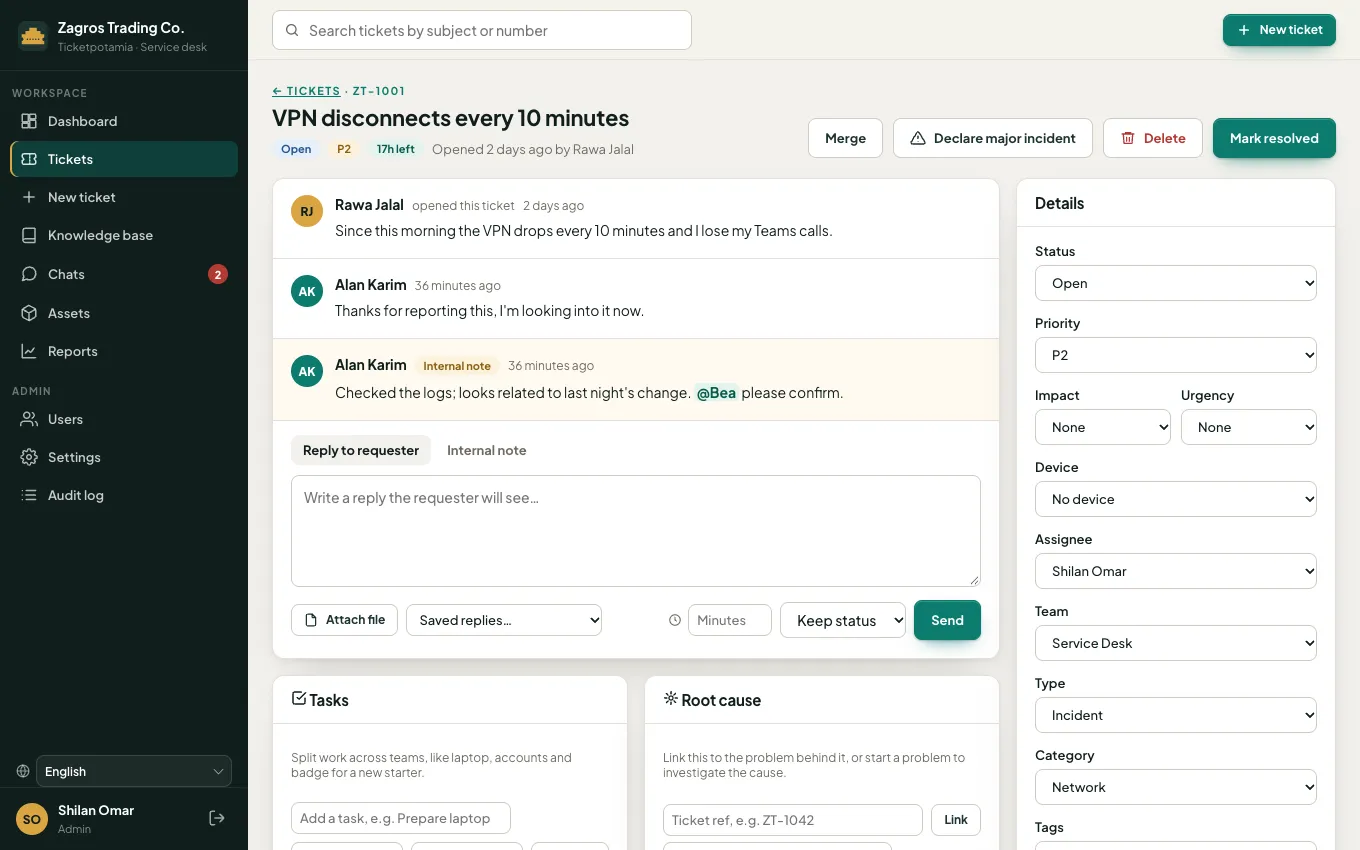
Replies, internal notes, @mentions, SLA timers and the full history sit together on each ticket, so nobody has to chase context.
See how your desk is doing
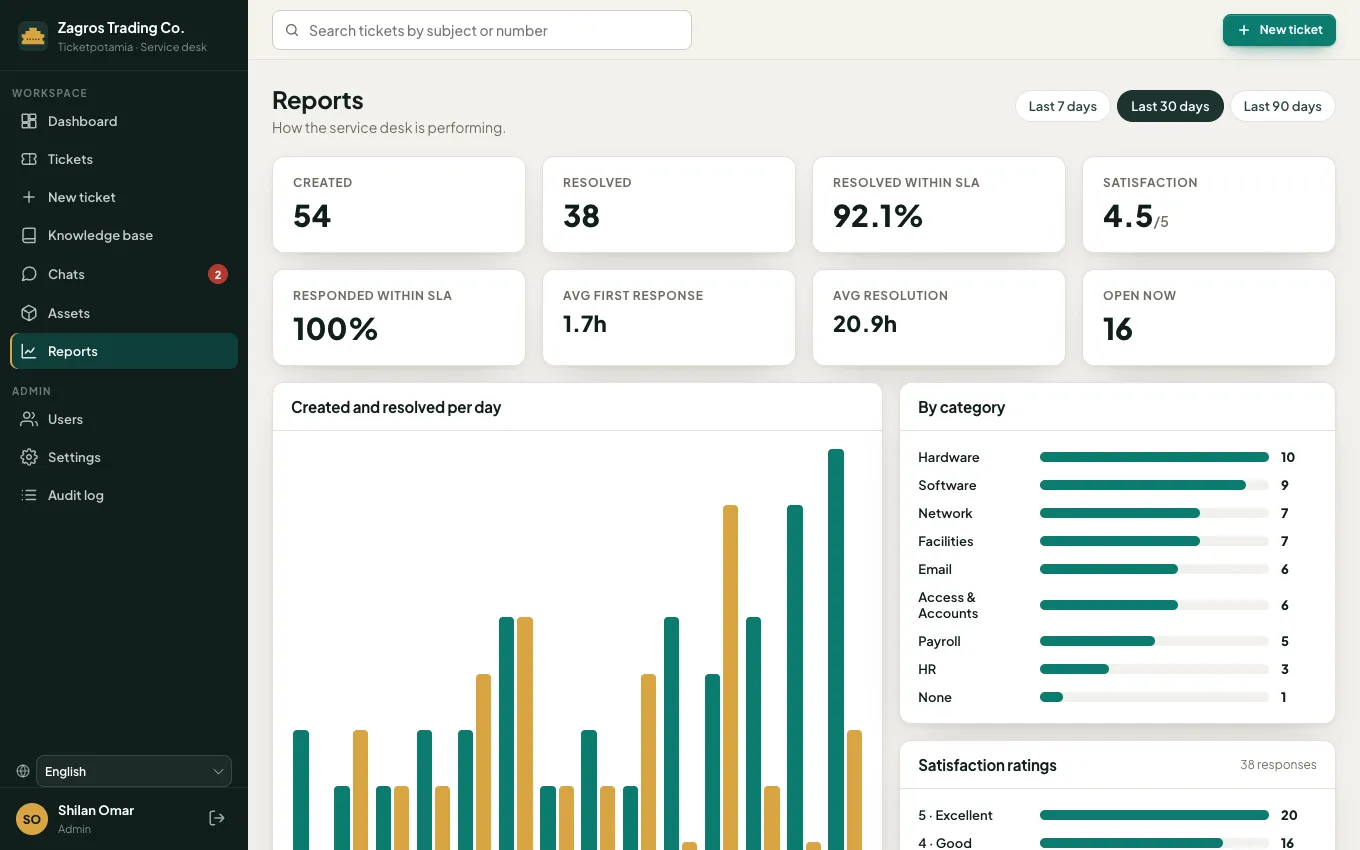
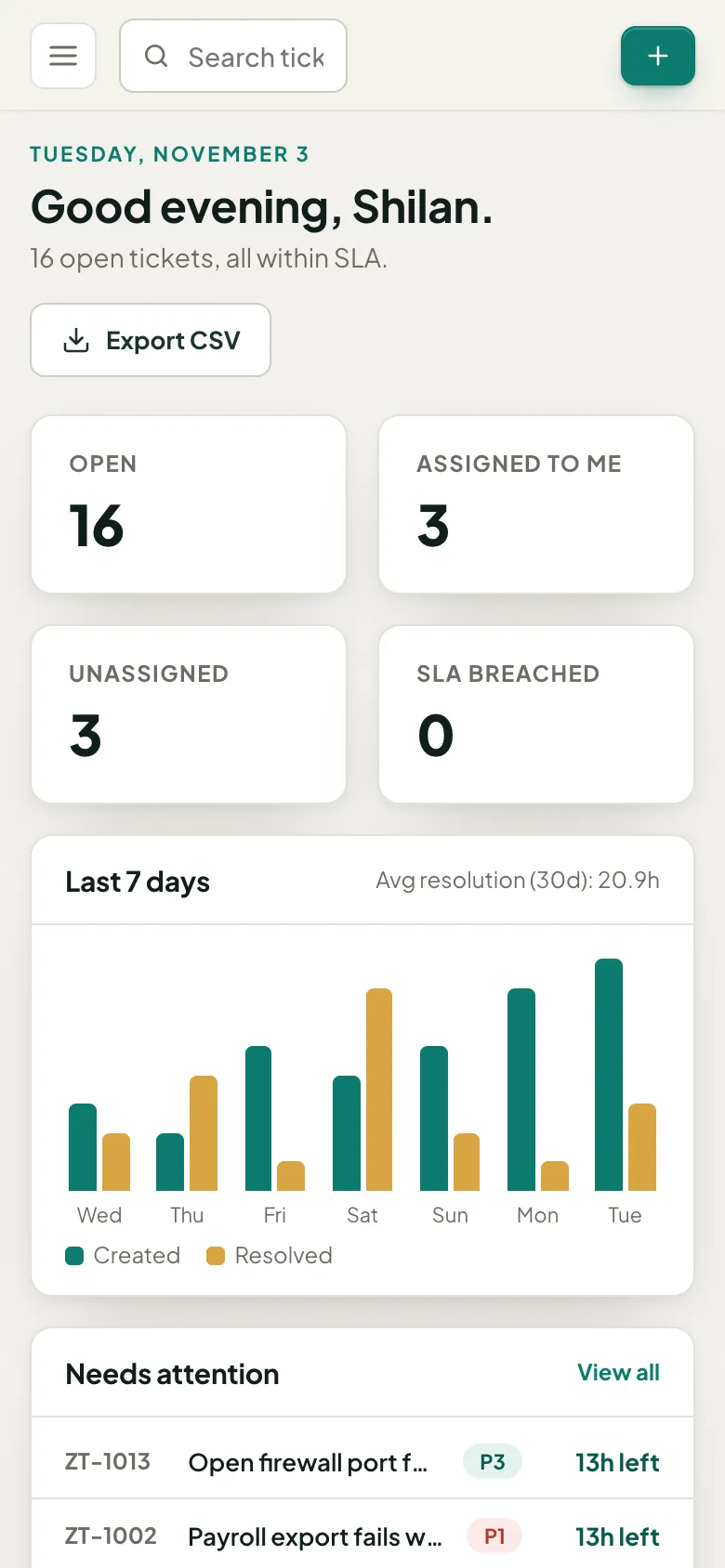
Volume, SLA performance, response and resolution times and satisfaction, for the whole desk, each team and each agent.
On every phone
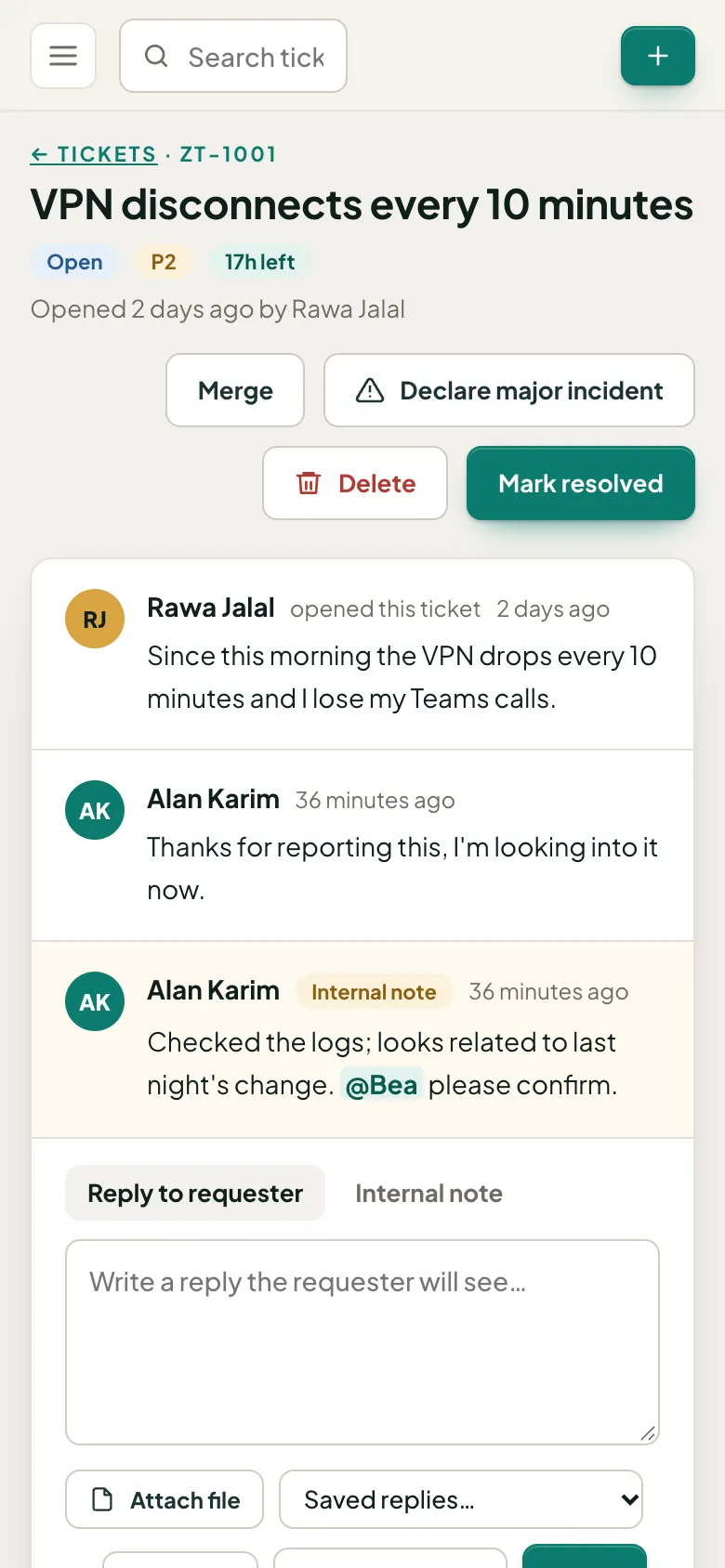
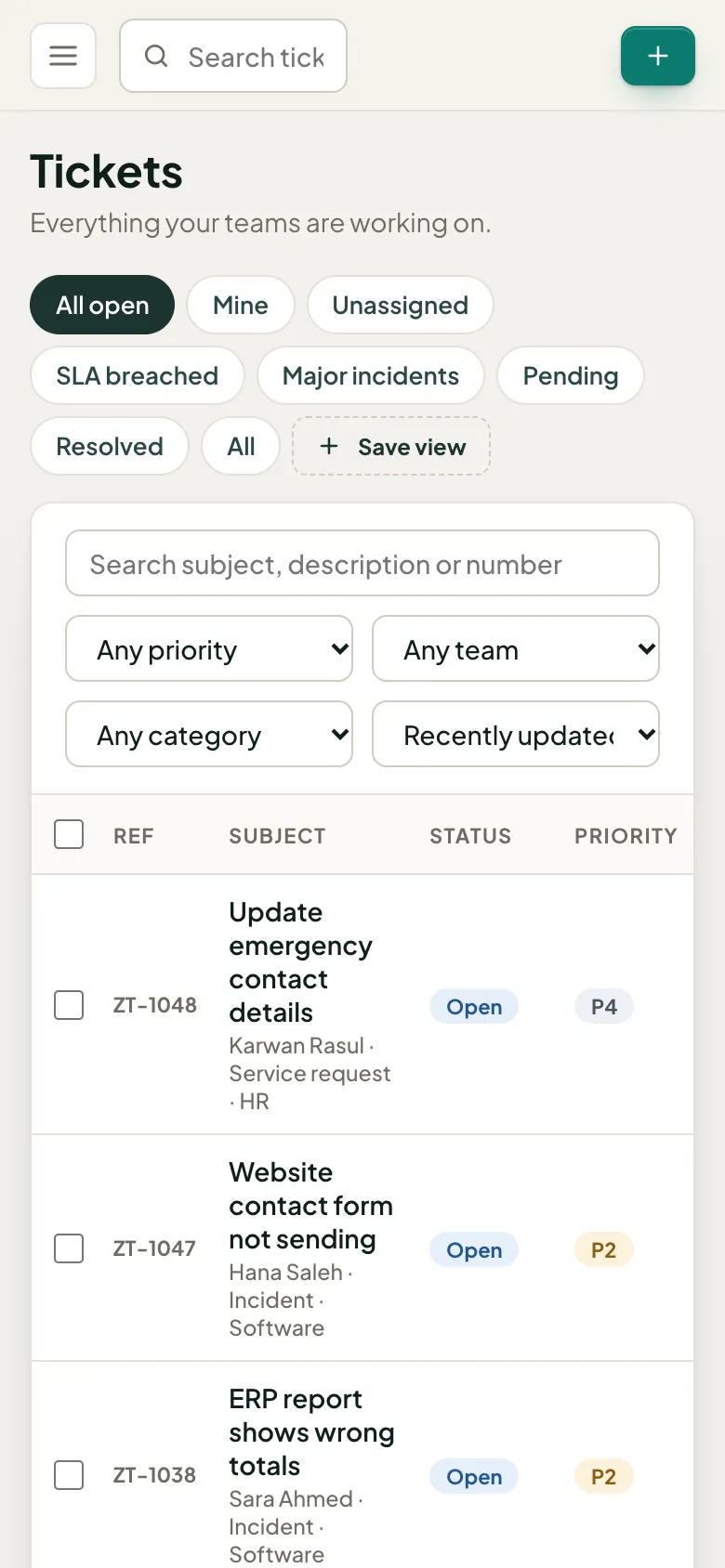
Works on any phone, no app to install
Agents answer and resolve tickets on the move, and staff raise requests from their phone's browser. Small phones, large phones and tablets all get a layout made for them.
Everything a service desk needs
From the first request to the monthly report
Self-service portal
Staff raise tickets, follow progress, reply and attach files without emailing anyone.
SLA tracking
Response and resolution targets per priority. Late tickets are flagged before they breach.
Teams and assignment
Route by team and category, assign to agents, and see who is carrying what.
Replies and internal notes
Talk to the requester and to each other on the same ticket, with a full activity log.
Knowledge base
Publish how-to articles so people can fix common problems themselves.
Dashboard and export
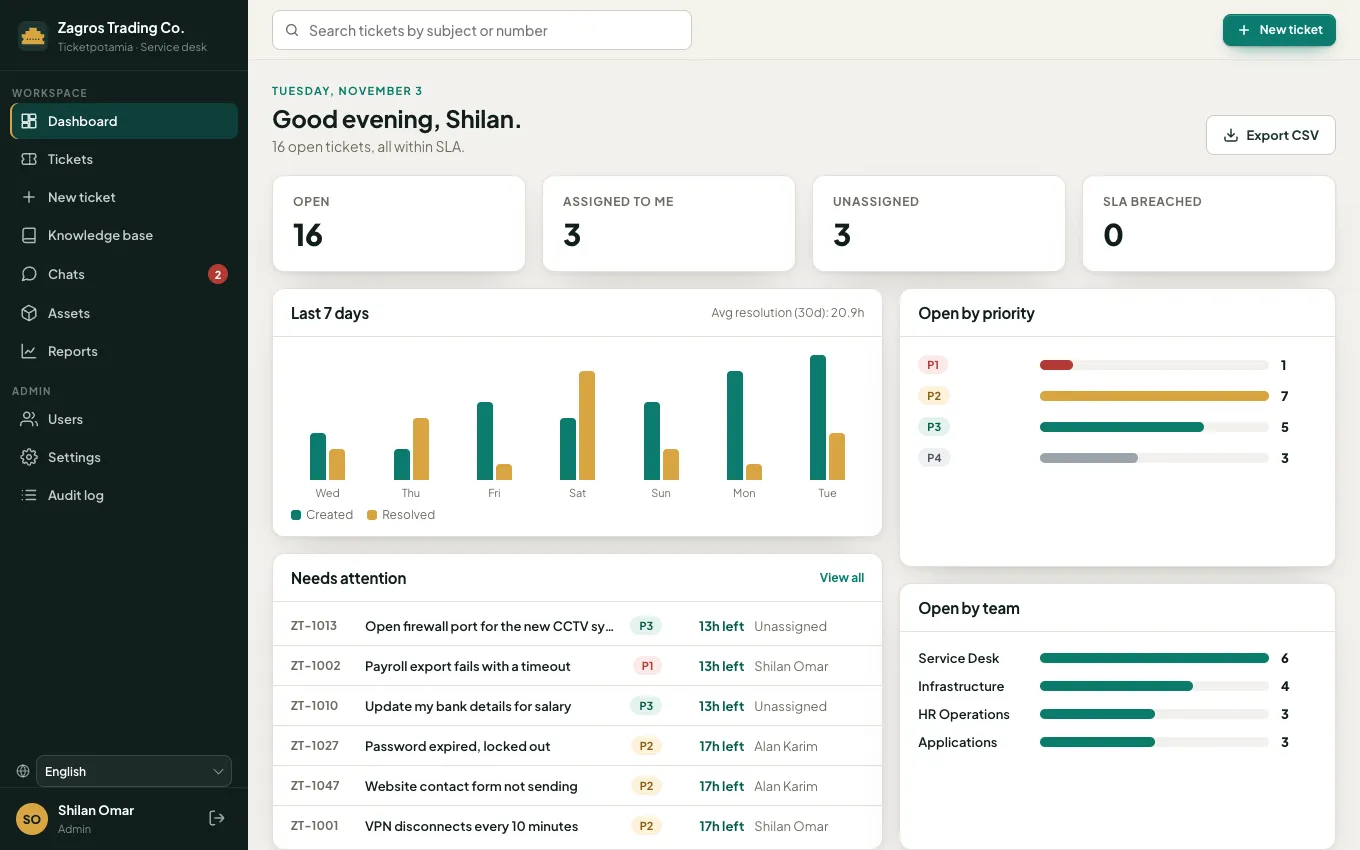
Open work by status, priority and team, a 7 day trend, and CSV export for anything else.
How it works
Live in an afternoon
- 1
Create your workspace
Sign up with your work email. Your desk is ready with sensible teams, categories and SLAs.
- 2
Shape it to your teams
Invite agents, set your SLAs and business hours, and add the fields and approvals you need.
- 3
Open the portal to staff
People raise tickets from any device. Agents work them, and you watch the dashboard.
Built-in AI assistant
AI that helps your team, not replaces it
Powered by Claude from Anthropic. The assistant reads each new ticket, drafts replies and answers common questions from your own knowledge base. Your team reviews everything and stays in charge.
Instant triage
Every new ticket gets a one-line summary, detected language, customer mood, urgency, and suggested priority, category and team. Apply with one click.
Reply drafts
Draft a reply in the customer's own language, based on the conversation and your knowledge base. Agents edit before sending.
Any language, both ways
Translate any message into the reader's language. Staff and customers can each work in English, Arabic, Spanish, German or French.
Answers before tickets
Staff get an instant answer from your knowledge base before they raise a ticket, with links to the articles used.
AI only suggests and drafts. Nothing is changed without your team, and admins can turn it off at any time.
Fits your company
Configure it to work the way you already work
Your categories and types
Incidents, service requests, changes, or anything else your teams handle.
Your custom fields
Add text, number, date, dropdown or checkbox fields, and choose what requesters see.
Your brand and roles
Your colour and ticket prefix, with admin, agent and requester access kept separate.
Give your teams one calm desk
Set up in two minutes. No card needed.